


Layouts
Layouts are pre-define arrangements of photo and text frames and are available via the Layout tab, to the left of the section preview.
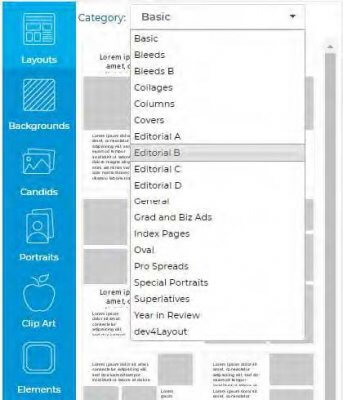
- Layouts
- Layouts are templates that contain photo frames and text frames. Photo frames contain photos that are dragged directly into the frame. Text frames contain text that is typed into the software and then applied to the frame.
- Choose from a wide variety of layouts on the Layouts tab.Layouts are organized into categories based on type and design style. Click on the Layouts tab, and then use the Category menu to browse and view the available layouts. To change the layout for a page, select a layout thumbnail, then drag and drop it from left to right onto the page. Note that any existing text and photos will be flowed into the new layout.
- You can also make Custom Layouts. To learn more, click here.
TIP: Refer to the Content Reference Guide for a complete listing of all of the available Backgrounds, Layouts, Clip Art, Elements and Fonts. Y This is an excellent tool to aid in your yearbook planning and design!