


Adding a Digital Link
In the Advanced Design Page, you will see a QR code, or digital link, generator button

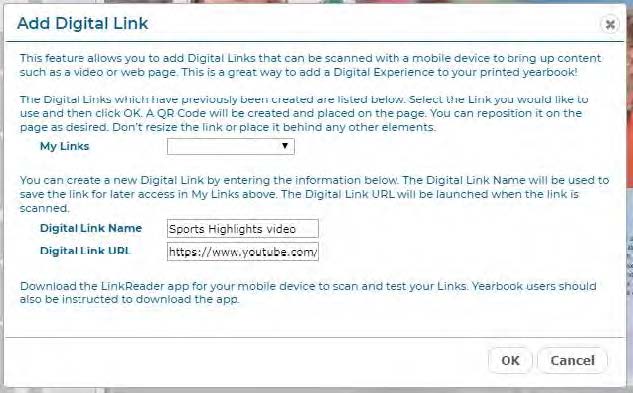
Click the Add Digital Link icon to add a link in your printed yearbook to digital content, such as a web site or an online video, using HP technology. When you click the Add Digital Link button, the Add Digital Link dialog will appear. Type in a name for your link, and the URL to link it to. Click OK. You will see a new QR Code link on your page. Position it anywhere you’d like.
Once your yearbook is printed, students can download the Free HP LinkReader App (or other QR code reader) and use it to scan the printed link and view the digital content on their mobile device. This is a great way to add multimedia content to your yearbook, and you can add as many Digital Links as you’d like for free!
TIP: When you use the Digital Link feature, you might consider adding a note in the yearbook telling viewers to ‘Download the Free HP LinkReader App’ in order to view the included digital content. You should also be sure to test the link in a Proof before printing the final yearbook, to make sure it’s what you want.